

Instructional Design
Applying learning theory and design strategies to meet specific performance goals through the creation of instructional materials and formal learning experiences.
-

Focus on Video: From Aspect Ratio to Zoom-In
From optimizing aspect ratios and incorporating dynamicb-roll footage to mastering captions and developing comprehensive shot lists,you’ll gain a comprehensive understanding of the building blocks of captivatingvideo. Packed with ready-to-use templates, guides, and resources, this sessionequips you with the knowledge and tools to elevate your learners’ experiencethrough the power of video. Don’t miss this opportunity to level up your video skillsand unlock new possibilities for your L&D projects. Join us as we explorethe world of video, from the technical details to the creative possibilitiesthat will transform your learning content.
-
PowerPoint and AI to Create Better Presentations, Faster
Microsoft Copilot will be a huge boost to storytelling, design, and visualization for many enabling them to create better presentations much more quickly and easily. It’s easily the most exciting thing to happen to PowerPoint and the entire Office suite since it was first launched 30 years ago. But there are other, more subtle, but equally useful AI tools that help you in various ways. From creating custom graphics and layouts to finding suitable content incorporating web cam feeds into your slides to automatic subtitles and translations of your presentation as you deliver it live. Certainly, plenty to cover that…
-
Visual Design Tools for L&D: Enhance, Enrich & Engage
Designing learning experiences often includes various elements of visual design. This can range from arranging layouts for digital and print materials to choosing or creating images, organizing text, and planning the frames of a video. However, finding the time to produce polished, professional visuals and locate the right tools can be challenging. In this session, we’ll cover:
-
Design for All: Tools for Accessible Design
Most of us want to be the best designers we can. We care about ensuring everyone can access the learning experiences we create. However, we are also overwhelmed with work, unrealistic deadlines, and limited resources. Sometimes, we are stuck making tradeoffs that can result in producing content that isn’t as accessible as it should be. And, if you’re like me, you’re left with that disappointed feeling that your work is substandard. In this session, I’ll share some of our team’s favorite tools for creating accessible learning experiences. You’ll get a short demo of each tool with examples of how we…
-
Brainstorming & Designing Learning Experiences: Power Up with Collaborative Tools
In this session, we’ll explore how the right tools can enhance brainstorming, foster innovation, and simplify the creation of impactful learning experiences. You’ll discover how to use collaborative platforms to align your team, spark creativity, and take your projects from concept to completion – faster and more efficiently. Whether you’re designing courses, brainstorming concepts, or just looking to enhance collaboration, these tools will help you stay connected, organized, and inspired.
-

David Kelly’s Curated Content for 11/18/2024
This week’s Curated Content explores how emerging technologies, inclusive design, and adaptive learning strategies are reshaping learning experiences to be more engaging, accessible, and aligned with modern organizational goals.
-

Making Training Stick: An Imperative for Hi-Risk, Hi-Stakes Environments
In high-stakes and high-risk contexts, poorknowledge development during training and inadequate retention post-trainingcan lead to regrettable mistakes and costly risks. Knowing with confidence thatemployees develop the essential knowledge and retain it longer is critical –i.e., making training stickier is imperative. In this webinar, Manoj Kulkarni,CEO of Realizeit, will share how to improve the stickiness of training byfocusing on making it more engaging, applicable, and durable. You’ll learn howto move beyond the status quo and traditional thinking that doesn’t work tocreate personalized, job-relevant, sticky training experiences. Discover how tokeep knowledge sharp over time and how AI, adaptive and personalization makebusiness-critical training…
-
David Kelly’s Curated Content for 11/4/2024
This week’s curated content explores innovative tools and strategies for learning design, from using Twine for immersive scenarios and AI for instructional support to fostering habit change with commitment tools, creating accessible content through color contrast, and enhancing compliance training to build a culture of responsibility.
-

Use Twine to Easily Create Engaging, Immersive Scenario-Based Learning
Scenario-based Learning (SBL) is a powerful instructional strategy in eLearning. Here is a breakdown of how to create and use it.
-
Applying the SCQA Framework to Instructional Design
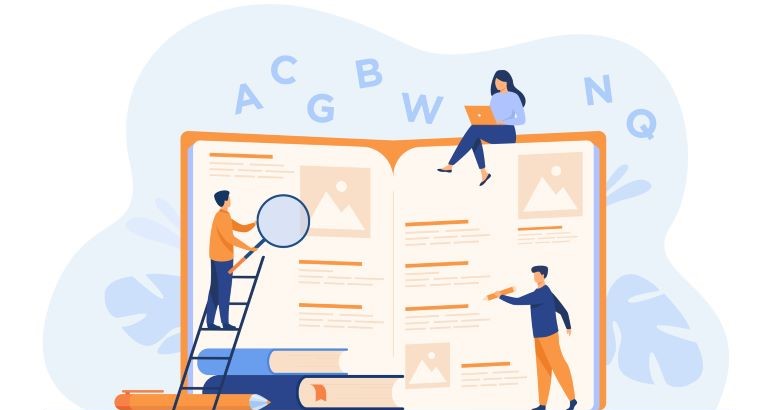
Applying the SCQY framework to instructional design builds a naturally progressing, engaging storyline for learners to follow.