


Graphic & Visual Design
The indirect instructional aspects of imagery, text, white space, color choices, etc. that impact cognitive load, drive engagement, and influence the learner experience.
-

5 Ideas to Boost Your Creativity
Creativity is essential in the current performance improvement environment. As learners are constantly bombarded with information, designing learning experiences that inspire and engage is a non-negotiable. At DevLearn 2024, keynote speaker Erik Wahl shared powerful insights on how L&D professionals can generate ideas to keep their work fresh and innovative. Here are five ways to boost your creativity and impact: 1. Think Differently – By disrupting traditional approaches and reimagining the ordinary, we can create moments that grab learners’ attention and inspire deeper engagement. The best content creators look for ways to defamiliarize the ordinary to make a greater impact. …
-

Designing for All Minds: Practical Ways to Support Learners with Dyslexia, ADHD & Other Cognitive Differences
With thoughtful design choices and an openness to universal design principles, we can create organizational learning that truly meets all people where they are. Below are practical ways to make that happen.
-

Blending Bloom’s & Mayer’s: Visual Design That Scaffolds Learning
Poor visual design impairs learners’ ability to absorb content. Learn what to do and what to avoid when creating slides that will scaffold learning.
-

Burned Out on Feedback: How Rating Fatigue Undermines Performance Reviews & What You Can Do About It
‘Rating fatigue’ can lead to poor quality reviews. Learn why this matters and how to avoid it.
-
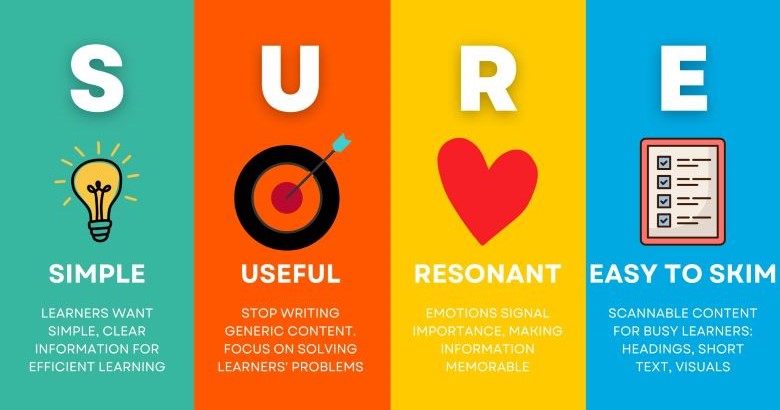
The Magic Formula for Learning Content That Actually Changes Behavior
We’ve all been victims of bad training. But what if there were a formula to create learning experiences that would not only keep people awake but actually transform how they work?Good news! That formula exists, and it’s as easy as remembering one word: SURE.
-

Making Virtual Learning a True Multiplayer Learning Experience
Virtual learning often falls into the “Netflix learning” trap, relying on passive lectures and minimal interaction tools like chat and polls. This approach leads to disengaged participants, instructor fatigue, and low retention of key information. To combat this, it’s time to level up virtual learning by embracing active, collaborative strategies that leverage AI-powered tools and creative design techniques.
-

Bridging the Digital Divide: Why Accessibility in Virtual Environments Matters More Than Ever
The shift to virtual learning highlights accessibility gaps. Simply having features isn’t enough; we need to master their use. The Learning Guild’s checklist helps L&D pros audit platforms & skills, ensuring inclusive design.
-
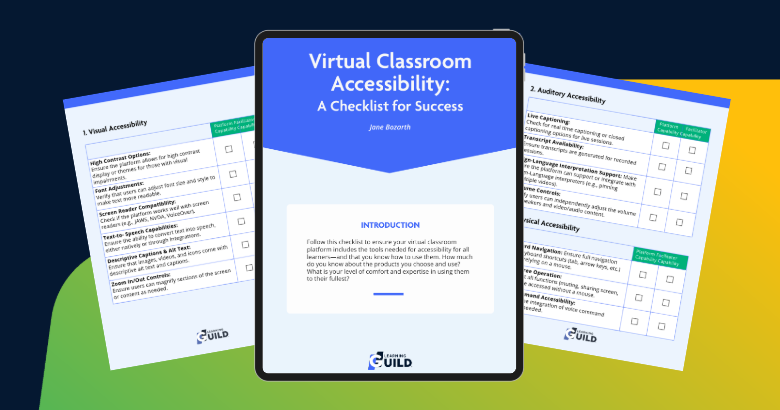
Virtual Classroom Accessibility: A Checklist for Success
Boost virtual classroom accessibility with this checklist. Ensure your platform & skills meet all learner needs. Master key features, enhance inclusion, and advance your career.
-

Make Your eLearning Shine with Effective Use of Stock Graphics
In the world of digital learning, visuals play a crucial role in capturing attention and enhancing engagement. This exciting and interactive session is designed to help you make the most of stock images to elevate your eLearning courses. With access to numerous free and licensed stock photo websites, the challenge often lies in selecting, editing, and integrating these images seamlessly into your content. Now, with the option to use GenAI graphics, the possibilities are endless. After completing this session, you will be able to
-
From Concepts to Commitment: Storyboarding That Gets Results
This session introduces participants to the essential skill of storyboarding and explores strategies for gaining leadership buy-in for video and eLearning concepts. Storyboarding is the bridge between raw instructional content and a polished product. Participants will discover techniques for effectively presenting storyboards to stakeholders, showcasing the value of their eLearning initiatives. In this interactive live demonstration, participants will interact with the presenter to create a simple and effective storyboard. In this session, you will