


Pooja Jaisingh
Senior Director, Digital Learning, Icertis
Pooja Jaisingh works as a senior director of digital learning at Icertis. She has created several award-winning eLearning courses and authored books and video courses on eLearning tools and technologies. In her previous roles, she worked as a principal eLearning evangelist at Adobe and chief learning geek at a start-up. Pooja is CPTD-, and COTP-certified. She holds a master’s degree in education & economics and a doctorate in educational technology.
Latest from Pooja Jaisingh
-

Make Your eLearning Shine with Effective Use of Stock Graphics
In the world of digital learning, visuals play a crucial role in capturing attention and enhancing engagement. This exciting and interactive session is designed to help you make the most of stock images to elevate your eLearning courses. With access to numerous free and licensed stock photo websites, the challenge often lies in selecting, editing, and integrating these images seamlessly into your content. Now, with the option to use GenAI graphics, the possibilities are endless. After completing this session, you will be able to
-

Fun with Vectors: Level Up your eLearning Design Skills
Using vector graphics and illustrations is one of the prominent ways of creating visuals for eLearning courses. You can download and use these illustrations and vector graphics from various stock picture sources. Join Dr. Pooja Jaisingh as she takes you through the best practices to find the illustrations, icons, SVGs, and infographics that would work right for your project. She will also show you how to use Adobe Illustrator to make some quick changes to these illustrations and export them to be used in your eLearning courses. You will leave this session feeling confident in finding the right illustrations for…
-
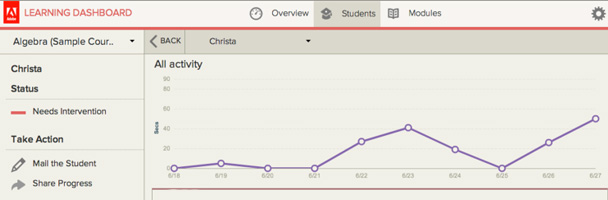
Learning Analytics in Adobe Presenter 9: Tips for Early Intervention
A key aspect of the early intervention effort is identifying students at highest risk of dropping out and providing them with timely remedial teaching. For this, we need an early warning system to identify low performers in the class—and provide more focused attention—while still managing a large distributed class. Here’s how to do this using learning analytics in Adobe Presenter 9.