





Ilike skinny books that deliver a lot of value in a minimum of pages.The Good Stuff that makes a difference in the way we think about ourwork and the way we go about our business often comes in packagesthat get to the point and don’t take up a lot of space on theshelf. Ruth Clark, Alan Cooper, Gloria Gery, Thomas Gilbert, RogerKaufman, Ellen Langer, Robert Mager, Donald Norman, Allison Rossett –just to name a few – have given us concise guides that have had aprofound influence on designers, some of them for decades. Now youcan add another name to that group, and you can put another book onyour “to-buy” list.
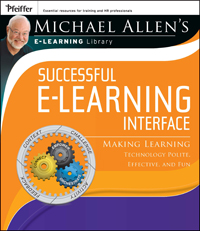
Successfule-Learning Interface: Making Learning Technology Polite, Effective,and Fun is a slim volume (224 pages) in the same league. To bereleased next Monday, July 18, by Pfeiffer, it is the third of sixbooks planned in Michael Allen’s e-Learning Library series.Like the two previous volumes, and the three to come, it builds onthe foundation Michael provided in his 2003 book Michael Allen’sGuide to e-Learning.
Volume1 of the series dealt with the entire process of creating powerfuleLearning and managing development processes, and Volume 2 offered asystematic look at instructional design. This latest entry addresseswhat Allen refers to as “a lacking and needed synthesis of userinterface (UI) design principles used generally in softwareapplications and of specific interface needs required by learningevents.”
Ashe explains, the requirements for the learner interface and theprinciples of user interface design are sometimes at odds with eachother, and at those times the learner interface requirements musttake precedence. This becomes a problem during development ofeLearning, especially when a team is involved, as team members fromdifferent disciplines (software engineering and instructional design)try to work out the conflicts. His book identifies a number of theseissues, and suggests a practical model for dealing with them.
Extending the foundation from earlier in the series
Asreaders of his previous books have come to expect, Michael Allenprovides examples and structure that make his ideas easy tounderstand, presented in a style and with humor that makes themenjoyable to read. He adds checklists and worksheets that engage andmake reading the book an active learning experience. As with theearlier books as well, he uses the “Rapid Reader” feature at thebeginning of each chapter to outline and organize the content.
Thebook is set up in four parts. Part One explores the need for LearnerInterface design excellence, Part Two provides three LearnerInterface design guidelines, Part Three provides insight into goodand bad influences, and Part Four offers twenty pages of examples.There is also a section at the end of the book that summarizes theguidelines Michael has developed for Learner Interface design.
Questions and concepts that drive design
Continuingthe “three M’s” criteria from the earlier books (Is itmeaningful? Is it memorable? Is it motivational?), Allen presents inPart One the three concepts that provide the power of LearnerInterface design: Connect (engage learners cognitively ANDemotionally), Empower (as Jane Bozarth said in her column last month,“Let the learners hold the spoon”), and Orchestrate (make theexperience safe and relevant, and respecting the learner’s time).These concepts drive the rest of the book, and he develops them fullyin Part Two.
The foundation: CCAF
Healso brings in from the second volume of the series “the fourinterlocking pieces of the instructional interactivity puzzle”:context, challenge, activity, and feedback, or CCAF. This is hisunifying, foundational view of instructional events, useful fordesigning, describing, and delivering instruction. Allen elaboratesthese elements in Chapter 3, at the end of Part One, with multipleexamples in the text, and he uses them in Part Two to providespecificity during his discussion of Connect, Empower, andOrchestrate.
Adam and Eve
Part Three beginsat Genesis. The theology presented might be shaky, but the lesson fordesigners is not: be careful about being led astray. Readers willrecognize many of the fatal attractions presented, not a few of whicheach of us has fallen for at one time or another. But it’s ok.Michael quickly moves on to show how to do the right things (ratherthan doing things right), with a collection of guidelines fromexperience in Chapter 8. These are highly specific bits of advicethat will help designers avoid glitz, help developers stay focused onlearning (instead of navigation), and help producers avoid overkillon “production values.”
Examples, examples, examples
It is said thatamateurs plagiarize, but professionals steal. There is plenty ofstuff worth stealing in Part Four. Examples show how excellenteLearning design is built on strong content. This section concludeswith Michael’s answers to the UI vs. LI challenges he posed at thebeginning of the book. This precedes the closing section, Michael’sLearner Interface Design Guidelines. The Guidelines are great, butI’d recommend not just incorporating them into the back of yourstyle guide. The Guidelines only summarize what the rest of the bookcontains, and it would be too easy to regard this list as some sortof canon to be applied without enlightened understanding.
Buy this book
Idon’t know – is that too blunt? Seriously, there will be thosewho disagree with everything that Michael Allen has suggested in thisbook and in the rest of the series, and there will be those readers(possibly most) who disagree with some of it or at least havequestions. The simple fact is that we don’t know everything thereis to know about how people learn, but we do have a pretty good ideaof what actually works (to the extent that we can define and measureoutcomes).
WhatMichael Allen has done in this volume of his series is to lay outwhat works, based on real experience. It’s an excellent guide, andit will help settle a lot of arguments or avoid misunderstandingabout the Learning Interface. As an eLearning team’s experiencegrows, the members will discover for themselves what works and whatfails in their own set of circumstances. In the meantime, we have tostart somewhere, and in my opinion, Successful e-LearningInterface offers an excellent place to start.
Bibliographic Information
Allen, Michael W. (2011) Successful e-Learning Interface: MakingLearning Technology Polite, Effective, and Fun. San Francisco:Pfeiffer.
ISBNs: ISBN978-0-7879-8297-3 (paperback); ISBN 978-1-118-03467-5 (eBook); ISBN978-1-118-03684-6 (eBook); ISBN 978-1-118- 03685-3 (eBook)
Publisher’s Price:$35.00
Amazon: $31.50paperback, $19.25 Kindle
Apple iBook: $28.99
Barnes & Noble: $31.18 paperback, $28.00 Nook





