





Since the first filmstrip projector made its way into thefirst classroom, standup trainers have been incorporating video into formalinstruction. In my experience, most actually do this pretty well: I’ve seengood use throughout my career of relevant video clips, points for discussion, andsome conversation about what and why and comparison to that.
Video often made for good conversation and could reach theaffective domain when other approaches did not. But when we moved to eLearningwe left a lot of that behind—the video clips were part of the eLearning content,but the rest of that experience, the talking and processing, didn’t make thetransition. With so many new avenues for delivering video online it’s a shamethat we’re not doing a better job of capturing the things a good instructor ina good face-to-face setting can bring.
Set the stage
Prime the pump by helping learners understand why they’rewatching this video, now. Give them behaviors to look for and actions toanticipate. Figure 1 shows an example, the introductory screen to a customerservice video on dealing with angry callers.
 Figure 1: Video about angry callers alerts viewer to things to lookfor
Realize: the longer the video, the more elements you areasking the learner to attend to. It’s easy to let settings, and outfits, and accents,and characters distract. Remember what Richard Mayer’s research on multimedialearning tells us: it’s important for those designing experiences to help thelearner select what to attend to.Offering some pre-video cues will go a long way toward helping the viewer focuson what matters.
Want conversation?
If you want conversation, then give people something to talkabout. If the tool comes with a chat or comment area—like YouTube’s—thenleverage that space as a room for conversation rather than just comments. Oruse the discussion-board feature of your LMS. Or use a Facebook group or a wikior even a blog. Close the video with a screen asking for conversation thathelps learners connect with existing knowledge and each other:
- What did the supervisor in the video do well?
- What would you do differently?
- How do you think the employee will respond?
- What should the supervisor do next?
Want criticalthinking or reflection?
Ask learners to post their own reactions (Figure 2),especially around new ideas or new learning, as shown in Figure 2:
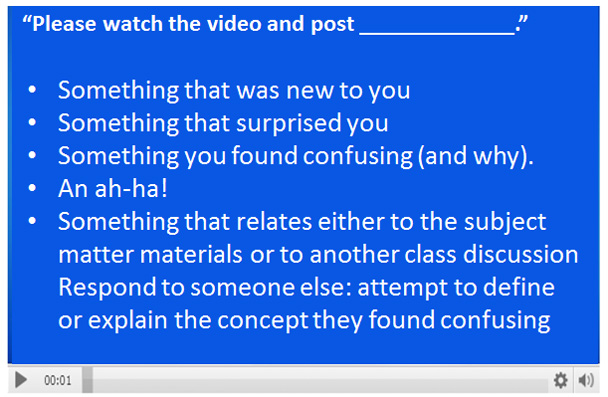 Figure 2: Ask for viewer reactions to videos
The Teaching Channel uses space on its interface to postquestions that encourage reflection. For instance, in “When a Lesson Goes Wrong,” teacher Sarah Brown Wessling walks viewers through anoverview of a lesson plan that failed, then shows how she fixed it. The sidebarin the interface asks questions such as “What can you learn [from this video]about reflecting on your practice?”
Hand overthe camera
Users, armed with phones equipped with video cameras, areincreasingly comfortable with and adept at creating and sharing their ownvideos. Encourage them to be “social” in the sense of contributing to coursematerials and organizational communication. When the UK’s Craig Taylor (Figure3) was the company’s sole employee sent to Las Vegas for DevLearn, he endedeach day by capturing about five minutes’ worth of reflection about theexperience: speakers he’d seen, an overview of key points, a few criticaltakeaways. In this way he was able to document his day, reflect on newlearning, and share it with those back at the office.
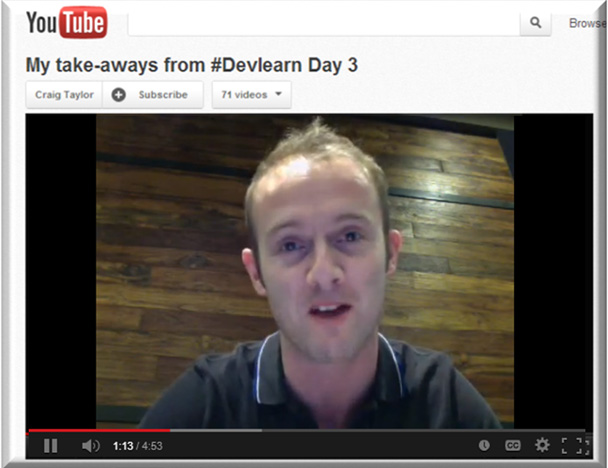 Figure 3: Craig Taylor reports from DevLearn
Even if learners don’t create the videos themselves, theycan help filter, locate, and vet suggestions for updated or new additions toexisting programs, or help build a library to support informal learning acrossthe organization. Since we know people don’t argue with their own data,participating as a partner with L&D efforts will help shore up learnercommitment.
Next time you’re working with deploying videoonline, step back and look for ways to help learners engage with it—and witheach other—rather than only consume it.





