
Harbinger is nowcelebrating 11 years of success with its product Raptivity. Organizations allover the world have used Raptivity (rapid+ interactivity) to build interestingand cool interactions to use in their training programs in all sorts of ways.Live instructors have used Raptivity interactions in classrooms and online, andinteractions have been placed on company websites to illustrate concepts.
By and large, though, the interactions that have been builtusing Raptivity’s 191 wizard-based interaction builders (102 offered for bothHTML5 and Flash, and 89 bonus legacy Flash-only templates) have been used inother authoring environments, such as Adobe Captivate, Articulate Storyline,Trivantis Lectora, or any of dozens of other tools. If your tool can open a webobject or insert an HTML5 animation, you can use Raptivity in your lessons. Mosttools have one or both abilities. You can see a sample of the interactions inFigure 1; you can also sample and preview each here.
Macintosh users: There is a suite of 10 of the most popularinteractions available for you. Click here to see theinteractions included.
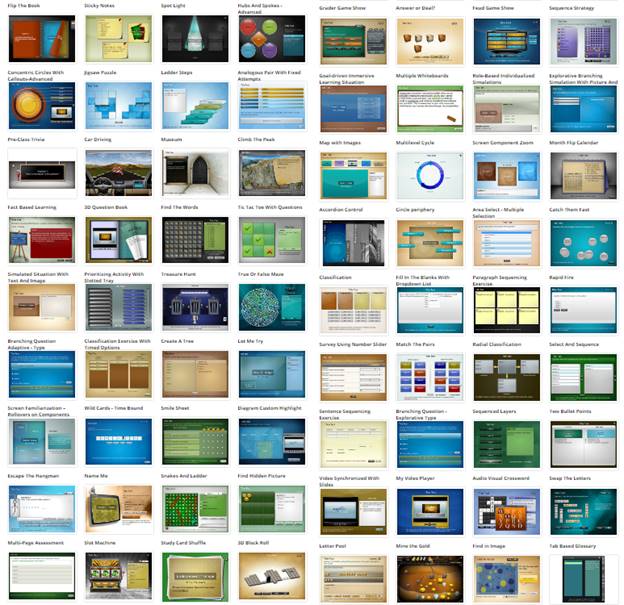
Figure 1:A sampling of Raptivity interactions
Several ways to filter the interactions
When using Raptivity, you can filter the interactions inseveral different ways. This is a favorite feature of Raptivity users. SeeFigure 2.
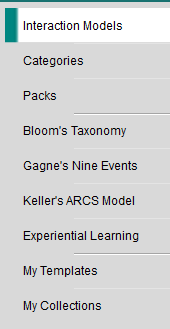
Figure 2: Interactioncategories
 In 2014, Harbingerreleased Raptivity Linker, which allows you to string any number of Raptivity (SCORM-compliant)interactions together in those situations when you don’t need to insert thoseinteractions in other tools and just want to ensure that you can present theinteractions smoothly one after the other. I have reported on Raptivity and Raptivity Linker in past reviews for LearningSolutions Magazine.
All these are customizable
Each Raptivity interaction is highly customizable—even though,being wizard-based, the program remains easy to use. In almost every case, youcan not only change the look and feel of the interaction, but also add text,images, audio, and video. You can even add buttons to display a popup of text,image, or video, or a link to jump elsewhere. Look at Figure 3 for an idea ofwhat I mean. In this case, I’m using the Flash Card interaction. Figure 4 showsthe wealth of options you can customize for this interaction.
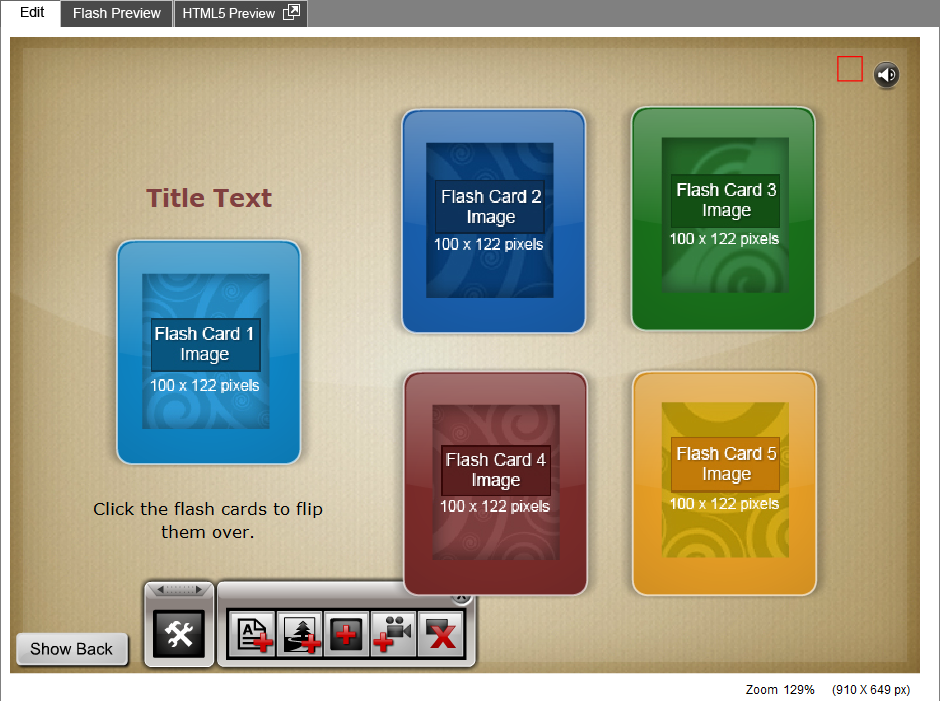
Figure 3:The Flash Card interaction. Notice the toolbox, from which you can addtext, images, buttons, and videos.
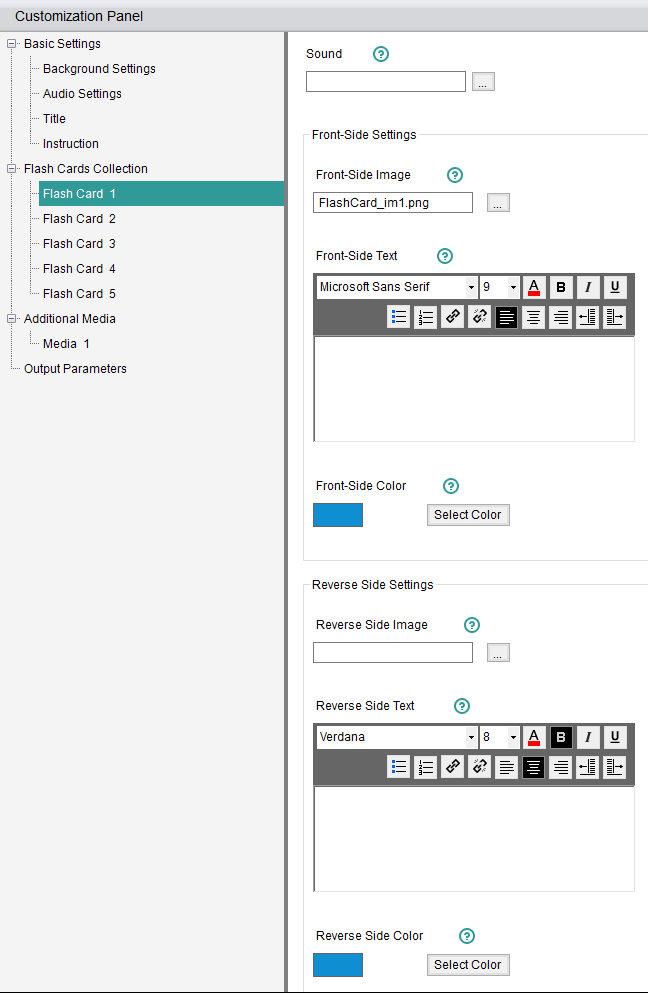
Figure 4: The Customization Panel for the Flash Cardinteraction. This is showing just the options for Flash Card 1. Notice all theother categories on the left for further customizable areas.
The result, with not too much customization, can act andlook like that in Figure 5.

Figure 5: One example of using the Flash Card interaction
What led to Flavors
An interesting outcome of all these organizations usingRaptivity made itself evident each time Harbinger’s Raptivity team would talkwith their customers to find out how they were using the interactions the teamwas building. Some customized the interactions so much that the Raptivity teamitself had a hard time figuring out which interaction they had used in thefirst place! In fact, the team found that some of their customers had used thesame interaction in several different creative ways. (On a personal note, Ihave frequently found that the users of a product often surprise the creatorswith the creativity and ingenuity with which they use that product. This is nodifferent.)
That led to the idea of Raptivity Flavors: customizedversions of the interactions to give Raptivity users more ideas and further sparktheir imaginations.
Example Flavors
Figure 6 shows a customization of the same Flash Card interaction.It looks quite different but is based on the same template. Learners click oneach of the answers, which will then flip the card over to show either a happyface or a sad face.

In fact, using the original template, you could have builtthe interaction in Figure 6 yourself. With Raptivity Flavors, though, you havea shortcut to the end result, saving you lots of time. The community ofRaptivity users has always been a friendly one, and many of them have beensharing ideas all along. Now the Raptivity team is making sure that all itscustomers can benefit from those ideas.

Figure 6: A Flavor of the Flash Cards interaction
Another popular Raptivity interaction is called Drag DropSort. Its template can be seen in Figure 7. Two flavors of the same templatecan be seen in Figure 8. They look quite different, yet they are based on thesame template.
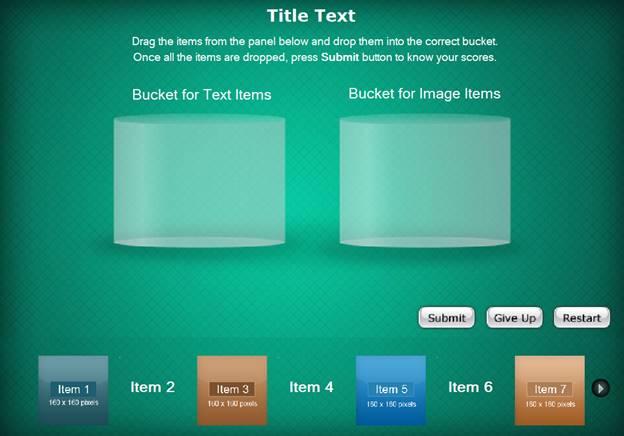
Figure 7: The Drag Drop Sort interaction wizard

Figure 8: Two Flavors of the Drag Drop Sort interaction
Let’s look at another example. Figure 9 shows an exampleusing the Flow Chart Presentation with Audio interaction. Figure 10 shows two examplesof Flavors for the same interaction.
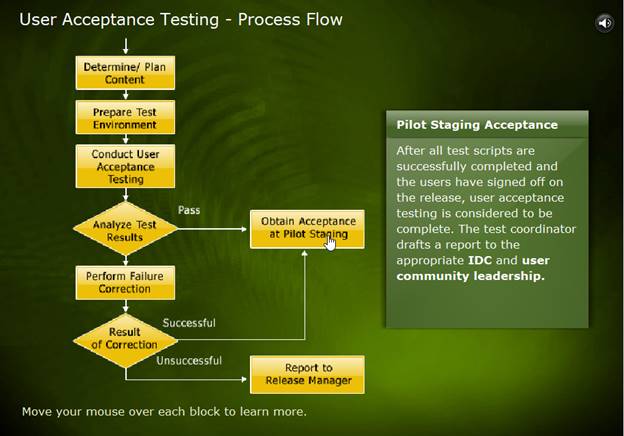
Figure 9: An example of the Flow Chart Presentation interactionwith Audio interaction
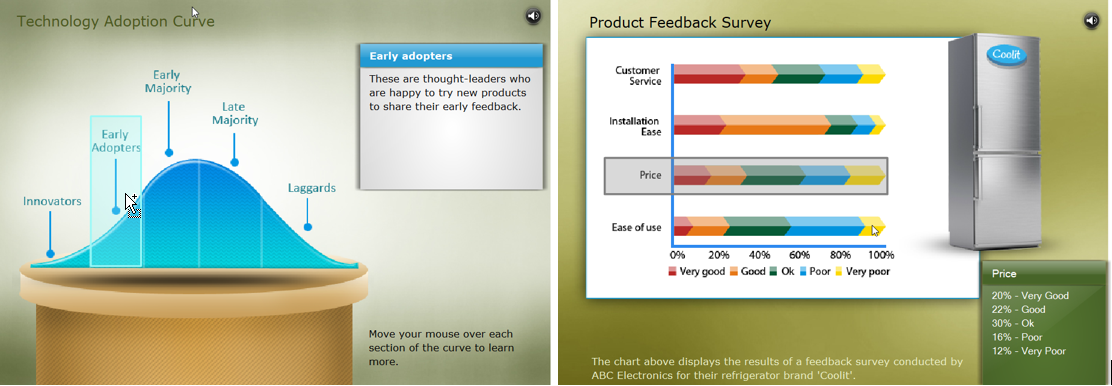
Figure 10: TwoFlavors for the Flow Chart Presentation interaction with Audio interaction
It’s remarkable how easy it is to customize Raptivity interactions,but the Raptivity team decided to make it even easier by providingcustomizations—Flavors—that are already done for you and that may be muchcloser to what you envision for your own training.
The Raptivity team will continue to elicit ideas from theircustomers, and they will release at least 10 Flavors this month with many moreto follow. Look for them in the upcoming update.
I must hand it to the team for paying attention to whattheir customers are doing and then seeing opportunities to help them further bycreating Flavors. This is going to be a hit with all Raptivity users, and I cansee where it may garner many new users, too.
Learn more at Raptivity.com.You can download a free 14-day trial here.