




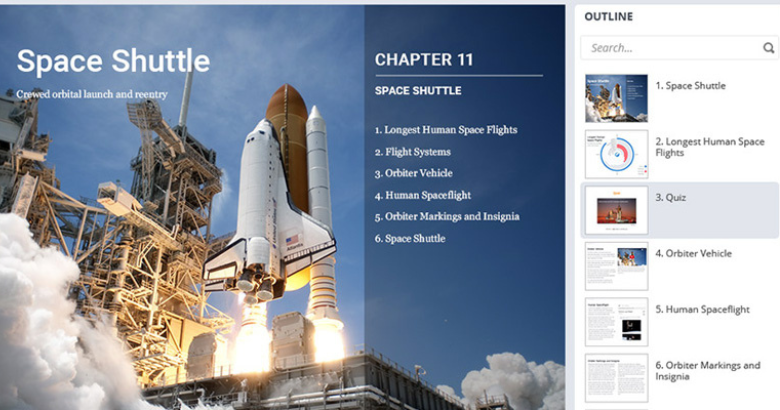
As you know, iSpring Suite has been around for a while, asis evidenced by the fact that it’s now on version 9. As a PowerPoint-based setof tools, it has had a lot of fans over the years, and I count myself amongthem. For my two prior reviews of iSpring, go hereand here.Now iSpring has added even more new features, and I predict it is about to addmany more fans.
What’s new?
iSpring 8 included iSpring Cam, which had some useful,though limited, screen recording abilities. The separate iSpring Video Editorlet you perform the most common edits needed.
iSpring CamPro
In version 9, iSpring Cam has been re-christened iSpring Cam Pro. It has had a hugemake-over and combines screen recording abilities and video editor in one tool.It also includes several new features.
When you use iSpring Cam Pro to start a new video recording,several options become available. See Figure 1. You can move and resize therecording window, of course.
Figure 1: The screen recording options
As you can see, you have several options available:
- Choose to record just the screen, just yourselfon a webcam, or both.
- If you have more than one microphone and webcamon your computer, you can choose which one of each to use (when recordingyourself).
- When recording the screen, you can choosebetween Full Screen, a Screen Area, or an Application to record.
Once you have finished recording, you are given the optionof including captions in the recording and how those annotations should appear.You can choose any combination of font type, size, and color, along with theshape background and outline colors. You can also save the change to your ownprofile name for quick recall later. See Figure 2.
Figure 2: Add and customize annotations to your recording
After that, the screen recording will open in the videoeditor (Figure 3). Here you can insert images, audio, text, shapes, videos, andmore screen captures. You can mix any and all of these objects, and time themas you wish on the timeline. You can set the transparency level of any objectso that, for instance, you can have a talking head video show the screen belowit. You can also add transitions wherever you wish. Edit any element, copy, cutand then paste it, and more.
Figure 3: The Video Editor
For instance, if the annotation doesn’t quite describe theaction to take, such as in Figure 4, just double-click and edit the text. Inthis case, I’d change it to Click theTour option.
Figure 4: Edit any object
Interactions
In the past, only a couple of wizard-based interactions wereavailable in iSpring. In version 9, however, twelve new interactions have beenadded. They include:
- Accordion
- Circle Diagram
- Cyclic Process
- FAQ
- Glossary
- Guided Image
- Hotspot
- Labeled Graphic
- Media Catalog
- Steps
- Tabs
- Timeline
Drag-and-dropquiz question type
The Quizmaker in iSpring Suite 9 now includes a drag-and-dropquestion type and it includes several options. You can make any objectsdraggable or act as targets, determine which objects should be dragged to whichtargets for the learner to get the correct answers, and make objects draggablebut that don’t have targets.
You can also choose to have items that are dragged, snap toany target, just the correct target, or do not snap at all. If you choose tohave items snap, you can determine whether they should stack randomly, cascade,tile, or at the center of the target.
If only one item should be dragged to a target, you can setit so that if the learner drags another item to the same target, the prior itemwill move out of the target and return to its initial location.
I really like that you can preview the drag and dropexercise right away to see how it works so that you can adjust anything you maywant to change.
Much moreflexible feedbacks
Feedbacks can now be full pop-up windows that can bescrolled and can include many images, videos, shapes, text blocks, equations,hyperlinks, and more. This allows for much more specific instructionalfeedbacks.
In fact, quizzing overall has become more flexible. Questionlayouts, results slides, and all other aspects of quiz questions are nowcustomizable to a degree not seen before in iSpring.
So what doyou really think, Joe?
I’m rather happy with the new version of iSpring and itscool updatednew features. There is a lot to gnaw on in this version but so far I’m veryimpressed with what I’ve seen. As I use it on projects, I’ll report back anyfurther thoughts I may have.
If you’ve used iSpring before, you’ll really love this newversion. If you never have, you may want to download the free trial and see foryourself how useful a tool iSpring Suite can be. Download it at https://www.ispringsolutions.com/ispring-suite/download.html.




