





PowerPoint add-in tools have been around for quite some timeand among them none has captured the market or the imagination of eLearningdesigners as much as has Articulate Studio. Studio’s last major release (Studio’09) was in September 2008. Since then, there have been nine updates to Studiobut no major upgrade … until now. Now Studio ‘13 is released.
As I’ve written before, PowerPoint add-in eLearningdevelopment tools give you an edge in that they let you create learning quicklyand easily, but they don’t necessarily replace more powerful tools, such asArticulate Storyline or Adobe Captivate. Guild research has clearlydemonstrated that most eLearning shops tend to use a combination of toolsrather than just one, and that usually includes a PowerPoint add-in such asArticulate Studio ’13. Note that, as with all other PowerPoint add-ins,Articulate Studio ’13 works in Windows only, not in PowerPoint on Macs.
For those of you familiar with Articulate’s other major product,Storyline, you’ll see that Studio Pro ’13 includes some new features verysimilar to those in Storyline, but in no way does it replace Storyline.
What’s includedin Studio ’13?
Articulate Studio Pro includes four individual products,each of which can also be purchased separately:
- Presenter
- Quizmaker
- Engage
- Replay
Articulate Studio Standard includes Presenter, Quizmaker,and Replay, but does not include Engage.
Let’s take a look at each of the four applications.
Articulate Presenter’s features are all present in thePowerPoint ribbon that Articulate installs, except for two options, Quizmakerand Engage, both of which can be launched from the ribbon but they are separateapplications that you can also run separately. Replay is not launched from theribbon (Figure 1).
 Figure 1: The Articulate Studio ’13 ribbon
What’s New in Presenter ’13
- New PublishingOptions. When you publish from Presenter ’13, you will still get a Flashversion, which is now updated to the latest version of ActionScript. However,now you have the option, as you can see in Figure 2, to also publish to HTML5.You can then provide links to both the Flash and to the HTML5 versions asneeded. You can also stipulate that a learner using an iPad can take advantageof the Articulate Mobile Player, if present. It is a free app that learners candownload and it does a great job of interpreting the Flash version for iPads.These options are the same as in Storyline.
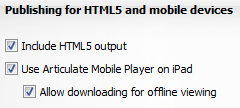
Figure 2: The Articulate Presenter ’13 publishing optionsArticulate states that the newpublisher also works up to five-times faster, so you may no longer be able totake long coffee breaks when you publish your Articulate presentations!
- NewPlayback Options.
- The earlier version of Articulate was a bit problematicwhen you combined Presenter, Quizmaker, and Engage interactions. Each had itsown navigation and menu options and so, when reaching a quiz question, therewould be two sets of navigation on the screen, one from Presenter, the otherfrom Quizmaker, and the learner would be able to skip questions easily. Now allthree products have a unified menu and navigation scheme, which I think is muchmore elegant and logical.
You can also now set up playback so that when alearner leaves in the middle of a lesson and returns later, you can providethree different resume options. See Figure 3.
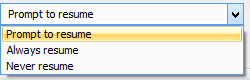
Figure 3: Player Resume optionsIn Presenter ’13, you can customize almosteverything about the player. Colors, fonts, and background images are all changeable.You can now also set the menu location and contents the way you like, and youcan choose which navigation bar options the learner can see and access. You caneven set any of 122 text labels that the learner might see to any text you wishor show the standard labels in any of 17 different languages. See Figure 4.
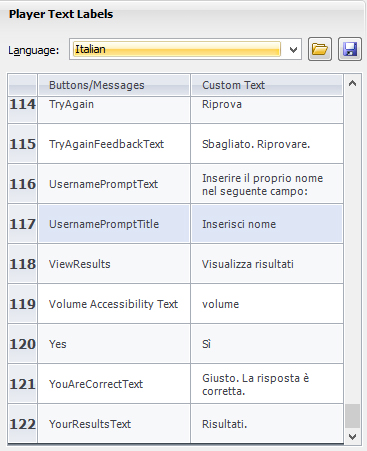
Figure 4: Player text layeroptions- Also, you can now set up slides in PowerPoint tobe any size you wish. Presenter will handle any size.
Characters.Both illustrated and photographic characters are now included in Presenter.These are the same character sets available in Storyline, with 40 illustratedcharacters and nine photographic characters. You can choose from differentexpressions and poses, thus allowing for thousands of combinations. See Figure 5.
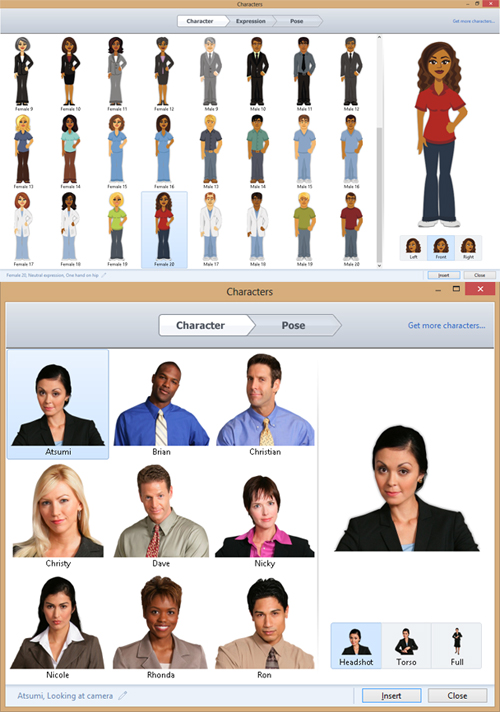
Figure 5: The Articulate Presenter ’13 Character options- Animationsand Transitions. Articulate now is able to handle most PowerPointanimations and many of the slide transitions as well. That means if you areusing animations and transitions, they will likely be preserved when youpublish from Articulate.
- UserInterface Improvements. Presenter now looks more modern, and dialogs areeasier to understand and use.
Videos.Presenter ’13 lets you insert videos from your hard drive, your webcam, or froma website. You also have a few other options, and Presenter now includes avideo editor as well. That’s pretty sweet. See Figure 6.
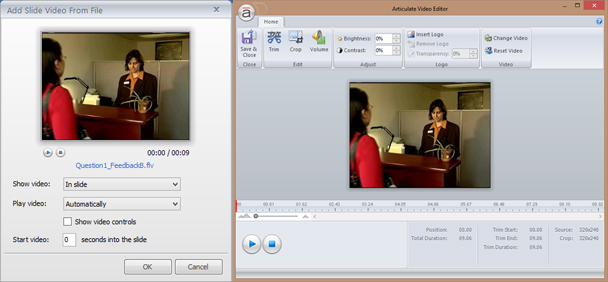 Figure 6: The Articulate Presenter ’13 Video options and editor
ArticulateEngage ’13
Engage is a separate application but it can be accessed fromthe Presenter ribbon. These are wizard-based dialogs that let you create anyinteraction from a collection of twenty, which doubles the number ofinteractions that were available in the prior version of Engage. As you can seein Figure 7, your choices now include a media panel, tabbed images, aconversation option, and more.
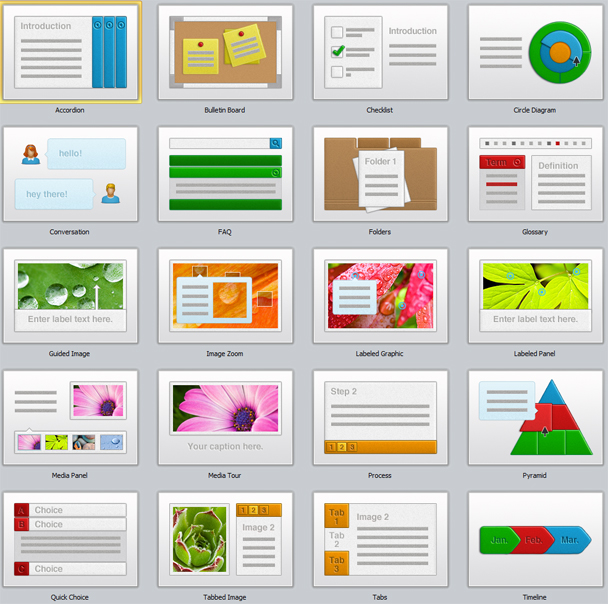
Figure 7: The Articulate Presenter Engage interactions
Each interaction has a consistent dialog and each includesthe ability to add your own images, video, audio, characters, and Flash movies.See Figure 8 to see how two interaction dialogs compare.
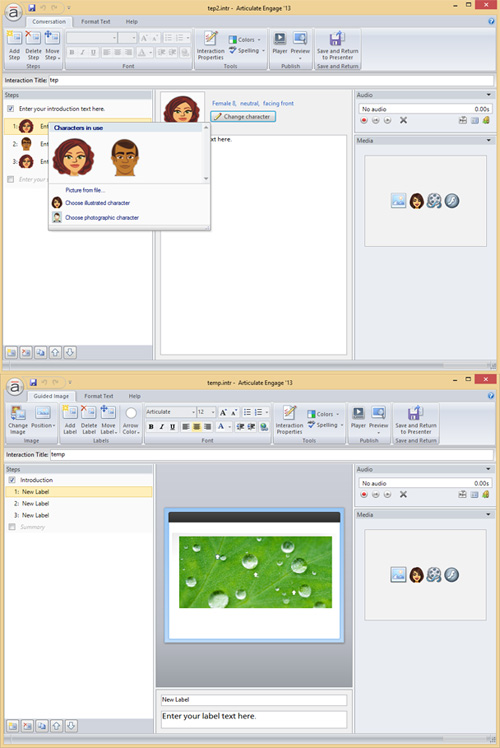
Figure 8: Two Articulate Presenter Engage interactions
ArticulateQuizmaker ’13
Quizmaker is also a separateapplication you can access from within the Articulate Studio’s Presenter ribbonor that you can run separately. It allows you to create both graded and surveyquestions. It uses a multi-tabbed set of ribbons, as seen in Figure 9.

Figure 9: Articulate Quizmaker options
There are three types of questions.You can see graded questions inFigure 10, survey (nongraded)questions, seen in Figure 11, and freeformquestions, seen in Figure 12. Freeform questions transform any objects intoan assessment, which is a powerful feature. Drag-and-drop interactions are alsoincluded. Every question type is editable in a form view and in a slide view.The latter includes a timeline and layers similar to those in Storyline,although here layers are limited to two: correct and incorrect feedback.
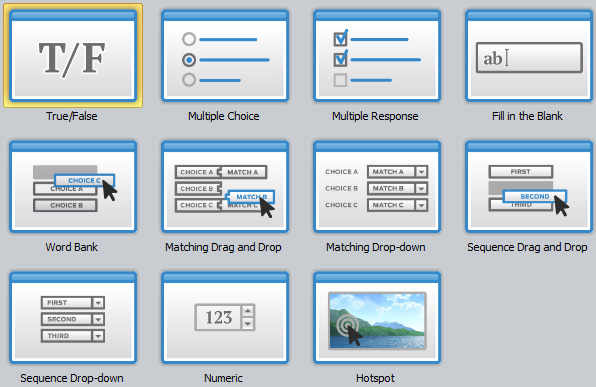
Figure 10: Articulate Quizmaker graded questions

Figure 11: Articulate Quizmaker survey questions

Figure 12: Articulate Quizmaker freeform questions
What’s New in Quizmaker ’13
Quizmaker shares several updatesthat are similar to those added to Presenter ’13.
- Publish to HTML5 and use the Articulate MobilePlayer on the iPad
- A more efficient and pleasing user interface
- Illustrated and photographic characters
- Embedded videos
- Embedded web objects
- Create a custom size for your quiz
Other new features include:
- Import questions from Excel or from text files
- Feedback layers allow for more flexible options,including media, images, web objects, and more
ArticulateReplay
Replay is a new product from Articulate. It is a videoeditor that lets you record screencasts while also recording yourself on awebcam if you wish. You can have videos switch out, and you can have two videosplay at the same time.
Replay provides a video timeline that lets you choose to dothe mixing of videos, add transitions, and more. You can createpicture-in-picture effects, add audio and images, and also add lower thirds,which are those strips of text with an optional logo that explain what you areviewing, such as the name of the person speaking in the video.
Replay includes a lot of nice features for a low-cost videoeditor. See Figure 13.
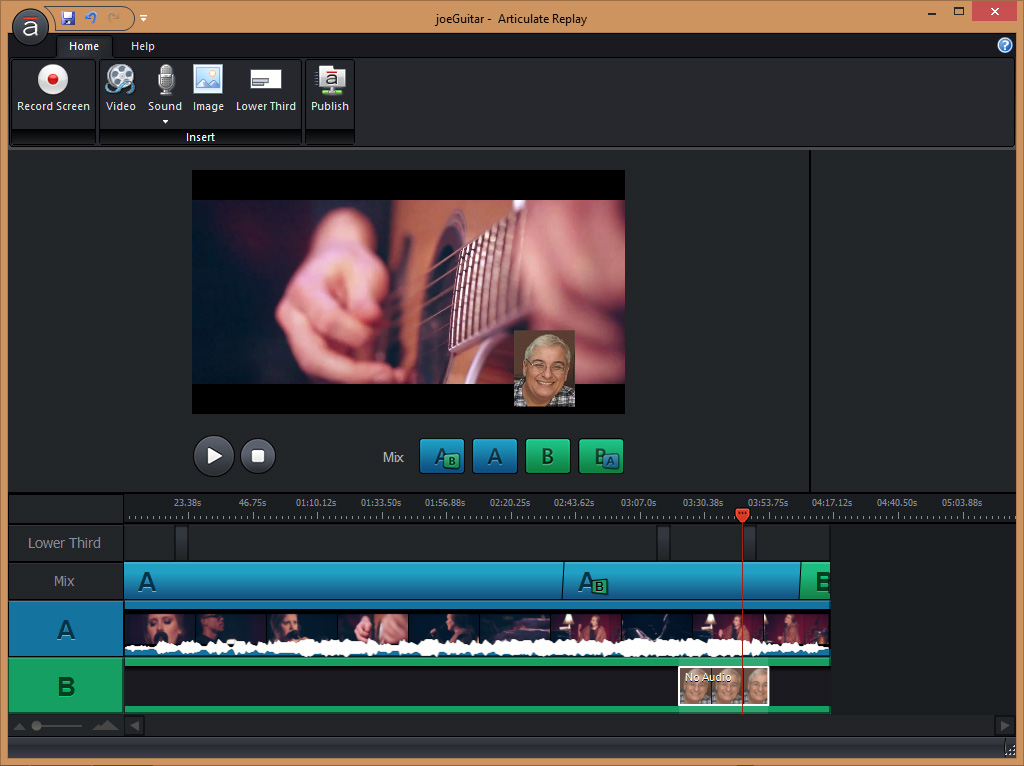
Figure 13: Articulate Replay
Suggestionfor Studio ’13 improvements
- It’s a bit annoying to have to wait for Quizmakeror Engage to open when launching them from the Presenter ribbon.
- It would be nice if you could set up severalinteractions in Engage without having to return to Presenter between each one.
- If you could access Replay from the Studio ’13 ribbonit would be easier to edit videos and have them embedded automatically onslides.
Pricing models
Articulate Studio ’13 provides a free 30-day trial at www.articulate.com. You can purchaseStudio ’13 or its individual products separately. The following are standardretail prices. Upgrade pricing is also available and varies depending on whichArticulate Studio ’09 product you own and which current product you wish topurchase.
| Studio ’13 Pro: | New | Studio ’13 Standard (does not include Engage): | New |
| Presenter ’13: | $799 | Presenter ’13: | $799 |
| Quizmaker ’13: | $699 | Quizmaker ’13: | $699 |
| Engage ’13: | $499 | Replay: | $200 |
| Replay: | $200 | Total if purchased separately: | $1,698 |
| Total if purchased separately: | $2,197 | Total if purchased together: | $999 |
| Total if purchased together: | $1,398 |





