




Stephen Haskin
Principal, Industrial Strength Learning
Stephen Haskin, the principal of Industrial Strength Learning, started in video production and computing in the 1970s. He has worked with digital video and eLearning since the late 1980s, and has been at the forefront of streaming media. Previously, Stephen was a producer and director of film and video and won many awards for his work. He worked for the University of Michigan for several years, but has now returned to the private sector where he currently directs and consults for distance-learning projects and video. Stephen frequently speaks at conferences and seminars, is the author of three books, and is writing a fourth book about media and learning.
-

More Than Meets the Eye: How Movement in Video Shapes Learner Perception
Sound and action—movement—drive our response to movies, including videos, even more than the character dialog does. Yet few of us have a conscious awareness of how movement affects learner perception and response. Effective eLearning video can be so much more than talking heads and simple demonstrations. Here is a very basic introduction to the psychology of movement.
-

Adobe Presenter Video Express: No More Green Screen
What do you do when you have to shoot on location and your actor can’t be there? The answer used to be “green screen,” but Presenter Video Express does the same job with less equipment and setup. Here’s a quick rundown on a tool that belongs in your kit!
-

What to Do in a World Without Flash?
As development software for eLearning, Flash has been dying since 2010. Adobe has changed the name to Animate CC, but the question now is, “Why would you continue to make Flash files?” And more importantly, what do you do about the legacy eLearning you have in Flash (that now runs in a lot fewer places, and with known security issues)? Here are some answers and some alternatives!
-

Life After Flash
On Monday, November 30, 2015, Adobe announced that Flash Professional CC will be replaced by Adobe Animate CC in early 2016. It’s the same program, only the name is changing. This change has sparked confusion and concerns, but here is some advice about what to do next.
-

Video for eLearning: How to Think Like Hollywood
What is most important to creation of excellent, engaging video for eLearning? Is it technology? Is it budget? Actually, it’s the style, the story, and the out-of-the-box thinking that go into the video. And to get those elements, you need a muse. Here’s how to find yours.
-

Video Compression Secrets: Smaller Files, Better Quality UPDATED!
This is an update to the original article published in Learning Solutions Magazine July 8, 2013. That article has had over 170,000 page views, so evidently readers are finding it useful! However, technology changes, so we decided to revise and re-publish.
-

Practical Video Production for eLearning: Do It Right!
You’re probably making video for your eLearning, but are you making the best use of video? Here are ways to think about video and video production (including tips on equipment and location shooting) that make it practical and give it that big-budget look (on a shoestring)!
-

How Much Does It Cost to Produce Video?
Making video for eLearning might have some of the same steps as for a Hollywood production, but it’s not the same in many other ways. In eLearning, we have to work harder and smarter for our productions to work for our audience. The hardest question to answer about eLearning video is, “How much will it really cost to make?” Here is how you can answer that question.
-

Top Tips for Producing Better eLearning Audio
Most eLearning professionals will need to create a voiceover script from time to time as part of their job. But writing scripts for audio is different from writing text that a learner reads from a display. Where do you learn this skill? There aren’t many courses that teach this. Here are 10 tips that will help you to write better scripts!
-
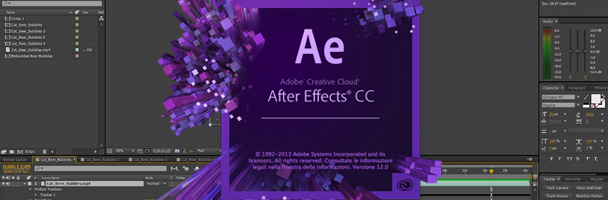
Adobe After Effects: Not as Scary as You Think
The first time they open Adobe After Effects, some people become so frightened that they close it and never come back. If you are one of those people, take heart! Here is a tutorial that will get you started on the road to mastering some of the most powerful video software out there. It can make a huge difference in the quality of video in your eLearning productions!