


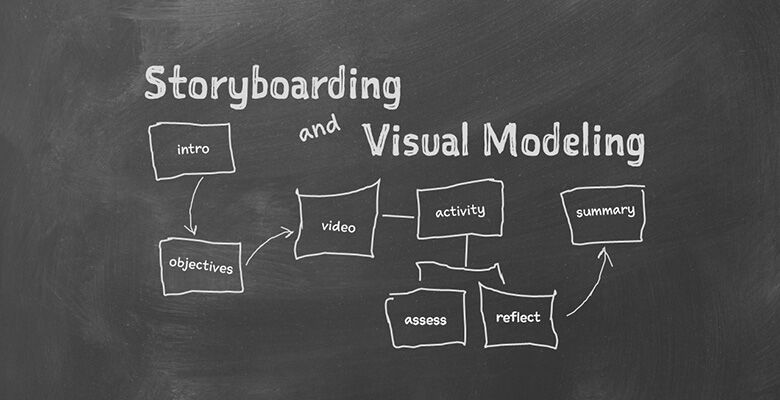
An architect uses blueprints to graphically depict his orher building plans. The blueprint provides stakeholders with a visual representationof what the proposed project will look like and serves as an impetus tojumpstart communication. Storyboardingcan do the same thing for eLearning designers.
Kevin Thorn, an award-winning designer, developer,consultant, and owner of NuggetHead Studioz, believes that storyboarding iscrucial to the eLearningdesign process. He maintains that it benefits designers andstakeholders alike and should be standard practice after a design is approvedbut before development begins.
Thornwill expound on the value of storyboarding at The eLearning Guild’s live onlineSuper Spotlight, GetAll You Need to Create Effective eLearning, December 12 & 13.Thorn’s presentation will take place December 12, from noon until 1:00 PM.
Learning Solutionsrecently spoke with Thorn about storyboarding.
Q: What is astoryboard?
A: A storyboard is a contextual map outlining the flow of instructionand navigation behaviors that provides a better understanding of the project.It is a powerful collaborative tool because it allows eLearning designers anddevelopers to clearly communicate to stakeholders, clients, or other partnerswhat the final output will be like.
Q: What are some ofthe benefits of storyboarding?
On a very practical level, it can help organizations avoidcostly and time-consuming revisions. It is also a beneficial practice fordesigners and developers because it can be used as a guide in the projectmanagement of an eLearning project. While storyboarding adds a bitof time up front, it allows users to easily test design options, thus saving timeand effort in development.
Q: How does onecreate a storyboard?
A: There’s no single “right” way to storyboard. The processwill differ depending upon the requirements of the project and one’s role inthe organization. If you are the sole person responsible for the entireproject, for example, your process will be different than if you are part of alarger team.
Q: What tools arecommonly used for storyboarding?
A: Although you may have the urge to reach for a laptop, Ifind it helpful to start with a pen and paper. Beginning with an analogapproach will give you a sense of the bigger picture. Once all the moving partsseem to be in place from the visual design and model, you can transfer thedesign to MS Word and/or MS PowerPoint to polish them up for the documentationprocess. Again, there are countless digital tools available, and there is noone “right way” to do this. The importance is the storyboarding process itself.Find the tools you’re most comfortable with.
Q: In today’s digitalage, why would one revert to manual storyboarding?
A: It’s good to step away from the computer! Unplugging fromthe digital world is healthy—it separates your brain from all the digitalnoises and distractions. When your hands are writing, sketching, or drawing,they are helping you think and focus. Try it and you’ll be amazed!
Q: Do you have to bean artist to leverage storyboarding?
A: No, although storyboarding does require timeand practice. The visual side of storyboarding is a simple understanding at ahigh level of how the instruction flows. The only skill needed is the abilityto draw a rectangle and a few arrows. The rest is creativity.


