





If you developany type of learning content that is displayed in a mobile or traditional webbrowser, you should know about jQuery. jQuery is a JavaScript library that is verypowerful and also extremely easy to use. In this tutorial I’ll walk you througha close look at a couple of the effects you are able to produce byincorporating just a little jQuery into your HTML code.
Obtaining the jQuery library
The jQuerylibrary is available either by a convenient download, or you can use thelibraries via jQuery’s content delivery network (CDN). Point your browser at www.jquery.com. You’ll see the download linktowards the upper-left hand corner of the screen. Click on that link to reachthe download page (Figure 1).

Figure 1:The jQuery website provides the actual library and access to many freeresources about the libraries
From thedownload page you’ll notice there are two active versions of jQuery. The 1.Xversions of jQuery are older and support Microsoft’s older Internet Explorer V6and V7. The newer 2.X versions of jQuery do not support older versions of IE. Thenewer versions are more optimized and have more features.
If you continuescrolling down the page you’ll notice a number of ways to obtain the jQuerylibraries. We’re actually going to use the versions that are stored on the Internet.They’ll be downloaded dynamically by your browser when needed.
You’ll see thefollowing lines of code under the section entitled Using jQuery with a CDN. Copy these lines of code to a blank textdocument.
<script src="https://code.jquery.com/jquery-1.11.0.min.js"></script> <script src="https://code.jquery.com/jquery-migrate-1.2.1.min.js"></script>
Save yourdocument as jQuery_examples.html.
Creating the base HTML document
Of course,jQuery runs within an HTML document, so let’s create the basic documentstructure around our <script> tags that load the jQuery libraries. Addthe necessary code so your document now appears like this:
<!DOCTYPE html><head><title>jQuery Examples</title><script src="https://code.jquery.com/jquery-1.11.0.min.js"></script><script src="https://code.jquery.com/jquery-migrate-1.2.1.min.js"></script></head><body></body></html>
In order todemo a few of the cool jQuery effects we have to put some content in the<body> element of the document. You can grab some placeholder content at www.lipsum.com.This site will generate as much dummy Latin (lorem ipsum) content as you need. We’regoing to add two <div>s to the body and place our content in there.
<!DOCTYPE html><head><title>jQuery Examples</title><script src="https://code.jquery.com/jquery-1.11.0.min.js"></script><script src="https://code.jquery.com/jquery-migrate-1.2.1.min.js"></script></head> <body><div id="div1"><p>Lorem ipsum dolor sit amet, consectetur adipiscing elit. Duis sed felis commodo, accumsan odio ut, dictum arcu. Aliquam nec sagittis sapien, vitae maximus arcu. Cras ac sagittis elit. Praesent in dapibus massa. Donec leo tortor, lacinia in nunc vel, tincidunt sagittis purus. Suspendisse posuere ut nunc id scelerisque. Maecenas eu diam commodo, blandit turpis ac, varius est. Sed faucibus urna eu neque gravida tempor. Suspendisse tincidunt metus ac mauris tincidunt, non ultrices turpis consequat. Pellentesque eget auctor libero. Etiam gravida urna non velit venenatis, ut interdum sapien rutrum. Sed tincidunt faucibus eros, nec congue lorem aliquet in. Integer id dignissim dui. Cras et dui nibh. Nam viverra, lorem at vestibulum sagittis, libero mauris varius nulla, ut luctus orci massa at odio. Morbi blandit mi ut lorem tempus, ac aliquam magna ultricies.</p></div> <div id="div2"><p>Lorem ipsum dolor sit amet, consectetur adipiscing elit. Duis sed felis commodo, accumsan odio ut, dictum arcu. Aliquam nec sagittis sapien, vitae maximus arcu. Cras ac sagittis elit. Praesent in dapibus massa. Donec leo tortor, lacinia in nunc vel, tincidunt sagittis purus. Suspendisse posuere ut nunc id scelerisque. Maecenas eu diam commodo, blandit turpis ac, varius est. Sed faucibus urna eu neque gravida tempor. Suspendisse tincidunt metus ac mauris tincidunt, non ultrices turpis consequat. Pellentesque eget auctor libero. Etiam gravida urna non velit venenatis, ut interdum sapien rutrum. Sed tincidunt faucibus eros, nec congue lorem aliquet in. Integer id dignissim dui. Cras et dui nibh. Nam viverra, lorem at vestibulum sagittis, libero mauris varius nulla, ut luctus orci massa at odio. Morbi blandit mi ut lorem tempus, ac aliquam magna ultricies.</p></div></body></html>
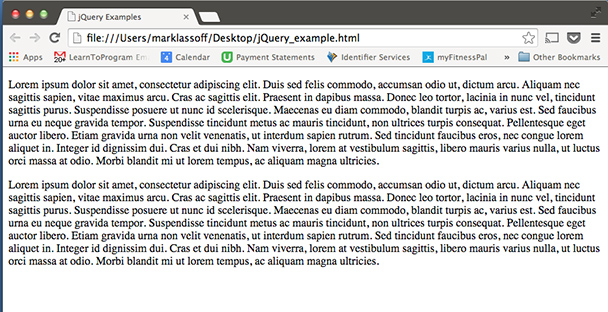
Figure 2:The display of our content looks rather boring because we haven’t added any CSScode to style it yet
Save your fileand load it into your browser using the File -> Open command. As you can seein Figure 2, without any CSS display, the visual is quite boring. Let’s makeuse of the CSS box model to change the appearance of the text blocks. In the<head> element of your document add the following style code right belowthe <title> tag.
<style> div { width: 400px; background-color: #b00; color: white; font-size: .7em; padding: 3px; margin-top: 10px; border: 1px solid black; } #div1 { float:left; } #div2 { float:right; } </style>
This CSS is to giveeach div distinct boundaries. Once you’ve added the code, verify the result (Figure3) in your browser by loading the file again into your browser by clicking File-> Open.

Figure 3:After adding CSS, the content now looks like this
Now that we haveour content looking a bit more organized we can demonstrate a few jQuerytricks.
Fade In and Out with jQuery
Fading elementsin and out is accomplished with jQuery’s built-in .fadeIn() and .fadeOut()methods. Now we’re going to be entering actual jQuery code, so you’re going towant to be careful as the syntax can occasionally be dense. Also note that,since we’re using the CDN to obtain the jQuery libraries, your computer musthave a live Internet connection for this code to work.
Below the lineswhich connect you to the CDN and retrieve the jQuery libraries add thefollowing code:
$(function() {$("#div1").fadeOut("slow"); });</script>
Refresh yourbrowser and you should see the div on the left fade out over a period of abouta second. The jQuery we’ve written so far runs an anonymous function on pageload. That function runs the .fadeOut()method on #div1. You may be wondering about the “$” symbol that appears in thescript, which is just an alias for the jQuery()function.
Inside the .fadeOut() function the word slowindicates how fast we want the fade effect to occur. We can replace that with anumber of milliseconds. For a very slow fade try this:
$("#div1").fadeOut(3000);Now your divwill fade out over a three-second period. (Figure 4 is the “after fade”screenshot.)

Figure 4:One of our divs has faded away. Sad.
Many jQueryeffect methods have the option of a callback function that executes once theeffect is over. The callback function allows us to run effects in sequence. Let’schange the code up so the second div fades when the first div has disappeared.
<script>$(function() { $("#div1").fadeOut(3000, function() { $("#div2").fadeOut(3000); }); });</script>
I think youprobably see what I mean when I said the syntax is dense. There are a lot ofdifferent types of brackets in there—so be careful when you type. If you think you’vetyped it all correctly, refresh your browser and you should see the first divfade and then the second.
Slide Up and Slide Down with jQuery
The jQuery .slideUp() and .slideDown() functions work in a very similar way. In fact we cansimply replace the methods in the code itself. Edit your code so it appears asfollows:
<!DOCTYPE html><head><title>jQuery Examples</title><style> div { width: 400px; background-color: #b00; color: white; font-size: .7em; padding: 3px; margin-top: 10px; border: 1px solid black; } #div1 { float:left; } #div2 { float:right; }</style> <script src="https://code.jquery.com/jquery-1.11.0.min.js"></script><script src="https://code.jquery.com/jquery-migrate-1.2.1.min.js"></script><script>$(function() { $("#div1").slideUp(3000, function() { $("#div2").slideUp(3000); }); });</script></head> <body><div id="div1"><p>Lorem ipsum dolor sit amet, consectetur adipiscing elit. Duis sed felis commodo, accumsan odio ut, dictum arcu. Aliquam nec sagittis sapien, vitae maximus arcu. Cras ac sagittis elit. Praesent in dapibus massa. Donec leo tortor, lacinia in nunc vel, tincidunt sagittis purus. Suspendisse posuere ut nunc id scelerisque. Maecenas eu diam commodo, blandit turpis ac, varius est. Sed faucibus urna eu neque gravida tempor. Suspendisse tincidunt metus ac mauris tincidunt, non ultrices turpis consequat. Pellentesque eget auctor libero. Etiam gravida urna non velit venenatis, ut interdum sapien rutrum. Sed tincidunt faucibus eros, nec congue lorem aliquet in. Integer id dignissim dui. Cras et dui nibh. Nam viverra, lorem at vestibulum sagittis, libero mauris varius nulla, ut luctus orci massa at odio. Morbi blandit mi ut lorem tempus, ac aliquam magna ultricies.</p></div> <div id="div2"><p>Lorem ipsum dolor sit amet, consectetur adipiscing elit. Duis sed felis commodo, accumsan odio ut, dictum arcu. Aliquam nec sagittis sapien, vitae maximus arcu. Cras ac sagittis elit. Praesent in dapibus massa. Donec leo tortor, lacinia in nunc vel, tincidunt sagittis purus. Suspendisse posuere ut nunc id scelerisque. Maecenas eu diam commodo, blandit turpis ac, varius est. Sed faucibus urna eu neque gravida tempor. Suspendisse tincidunt metus ac mauris tincidunt, non ultrices turpis consequat. Pellentesque eget auctor libero. Etiam gravida urna non velit venenatis, ut interdum sapien rutrum. Sed tincidunt faucibus eros, nec congue lorem aliquet in. Integer id dignissim dui. Cras et dui nibh. Nam viverra, lorem at vestibulum sagittis, libero mauris varius nulla, ut luctus orci massa at odio. Morbi blandit mi ut lorem tempus, ac aliquam magna ultricies.</p></div></body></html>
Run the code inyour browser and watch the cool effect. First the div on the left will slideupward and then the div on the right. (Figure 5 is the “during the slide”screenshot.)

Figure 5:The div on the left has disappeared and the second div is sliding upward in thesequence determined by the code
Now that we’vemade the divs disappear, let’s make them reappear. We’ll first add a button atthe bottom of the interface. Add the following line of HTML below your openingbody tag.
<button id="btnOpen">Show Divs</button><br/>
This of coursewill display a button above your divs. The button, when pressed, will cause thedivs to .slideDown(). We do, ofcourse, have to write the jQuery code to make that happen first. Add a second<script> block to your code right above the closing <body> tag.
<script> $("#btnOpen").click(function() { $("#div2").slideDown(3000, function() { $("#div1").slideDown(3000); }); });</script>
This code firstattaches to the button we just created and uses the click event to key off the .slideDown() method. Once again, theevents are chained one after another so they appear in sequence.
Ready for more?
Unfortunatelyin the space of one short tutorial we can only scratch the surface of what jQuerycan do. Eye candy is just part of the power of the jQuery library. I’dencourage you to explore more for yourself. The web series QuickBytes is in theprocess of publishing 30 free jQuery video tutorials which will be available athttps://www.youtube.com/playlist?list=PLAgylfU8wrtsQWpm3NMCpEjV5fYyrC51p.
From the Editor: Are you ready for a LOT more?
Then you want tobring your laptop to The eLearning Guild’s DevLearn 2014 next month in Las Vegas, where youcan register for Mark’s October 28 all-day Pre-conference Certificate Program,“B.Y.O.L: Programming 101 for the eLearning Developer.”You can also attend his session number 305 on October 29, “Going Under the Hood of Responsive Design,”in the Responsive Design track, where you will learn how to create content thatworks well across an ever-increasing number of devices with a tremendous rangeof screen sizes and aspect ratios. Understanding how to code responsive designwill give you the ability to flexibly display learning content across thisrange while only having to maintain a single content source.
If this whole area excites your interest, checkout the entire Responsive Design Track—there’s a lot more there, whether you are a designer,a coder, a manager, or a one-person shop!




